Designing for Everyone
Online learning offers students the flexibility to access educational materials at any time and from any location. However, the mere availability of online resources does not ensure universal usability. Students with visual, auditory, physical, cognitive, or learning disabilities may face significant barriers that restrict full participation. As reliance on digital learning environments grows, prioritizing accessibility is essential.
Huss (2022) highlights the critical role of accessibility in school websites, which function as communication hubs for students, families, and the broader educational community. King and Piotrowski (2021) further examine accessibility requirements and legal considerations in online education. Collectively, these perspectives underscore educators' obligation to develop digital materials that facilitate equitable access to learning.
Key Elements of Accessible Online Learning
The Web Content Accessibility Guidelines (WCAG) establish a comprehensive framework for the design of accessible digital content. This framework is structured around four foundational principles:
Perceivable: Information must be accessible through multiple sensory modalities, such as visual text or auditory content.
Operable: Students must be able to navigate materials using a keyboard or assistive technology, not just a mouse.
Understandable: Content should provide clear instructions, maintain consistent navigation, and utilize unambiguous language.
Robust: Materials should be compatible with a variety of browsers, devices, and assistive technologies.
For educators, these principles inform practical strategies, including using descriptive headings, providing alternative text for images, captioning videos, ensuring adequate color contrast, and designing activities that do not rely solely on visual or auditory cues.
Assessment of a Simulated Learning Object
Conducting an accessibility review of a simulated online learning object helps identify supportive features and barriers that may hinder participation.
Certain elements may already meet accessibility standards, such as readable instructional text, logically organized information, and clearly labeled activities. However, common areas for improvement include images lacking alt text, insufficient color contrast, the absence of video captions, and navigation systems that rely exclusively on mouse interactions.
The simulated learning object, Orchards and Vineyards, enabled me to evaluate the impact of instructional design choices on accessibility. In my review, I identified barriers such as inadequate heading structure, insufficient image descriptions, reliance on color for emphasis, inconsistent text formatting, and limited visual organization. To address these issues, I established a logical heading hierarchy, provided descriptive alternative text for instructional images, replaced color-only emphasis with bold terminology, and standardized formatting to enhance readability. These modifications underscore the necessity of designing accessible digital materials, as online availability alone does not ensure equitable access (Huss, 2022; King & Piotrowski, 2021). Koob et al. (2022) also highlight the significance of digital accessibility in technology-integrated instruction. Collectively, these revisions foster a more inclusive learning environment for students utilizing various devices, assistive technologies, and information access methods.
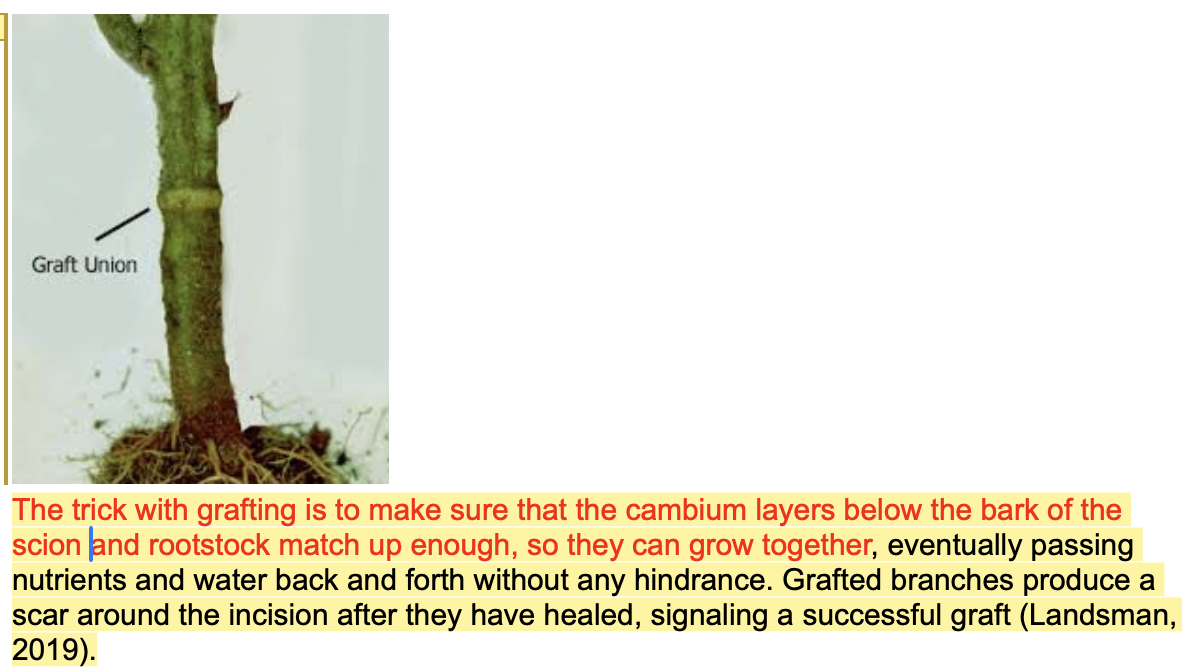
Original image
Graft Union
Original concern: The first portion of the paragraph is displayed in red, and the image relies on a visual arrow to identify the graft union.
Suggested revision:
How a Graft Union Forms
Successful grafting requires the cambium layers of the scion and rootstock to align. When these layers connect, the two plant parts can grow together and transport water and nutrients. As the graft heals, a visible scar develops around the joined area. This scar is called the graft union (Landsman, 2019).
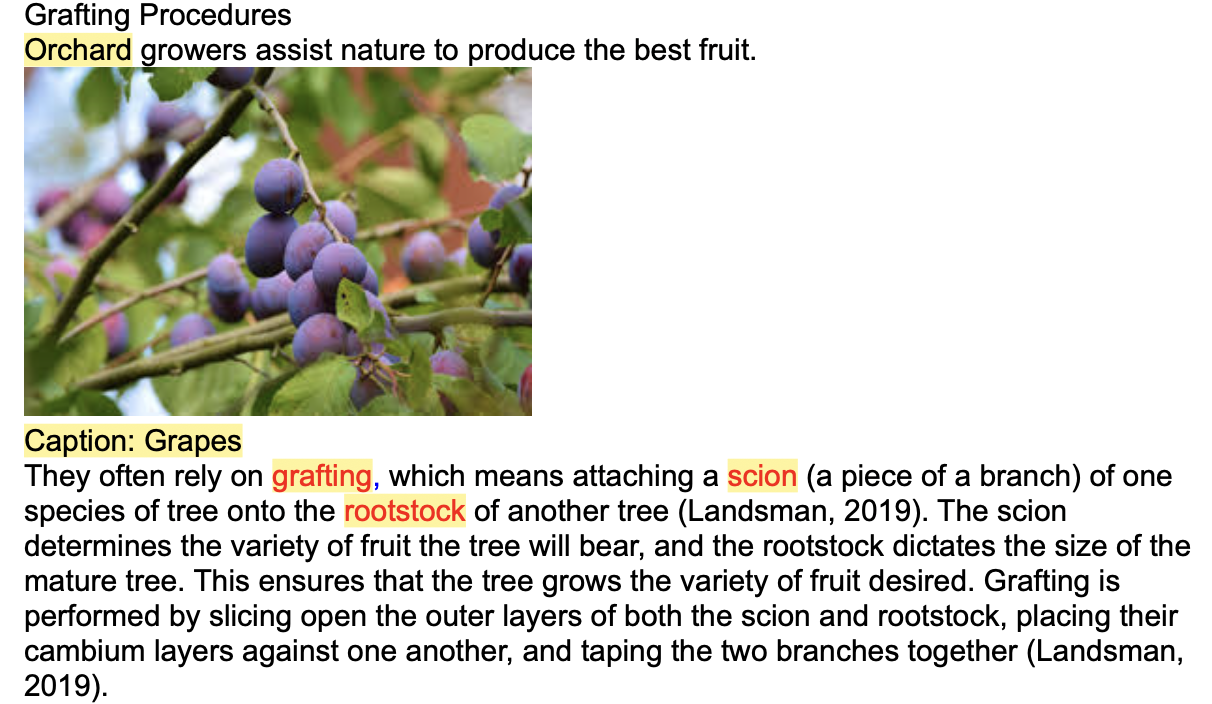
Original Text
Grafting Procedures
The original issue was that the words grafting, scion, and rootstock were shown in red. Learners who experience color-vision deficiencies might not notice this emphasis.
Suggested revision:
Orchard growers often use grafting, a technique that joins two plant parts so they can grow together.
Scion: The branch or shoot that determines the variety of fruit produced.
Rootstock: The lower plant portion that provides the root system and influences the mature tree's size.
Cambium: A layer of growing tissue that must align between the scion and rootstock for a successful graft.
This change removes the need to rely on color and helps make the technical terms clearer for everyone.
Huss, J. A. (2022). A high school website is a school community’s communication center ... but is it ADA compliant? School Community Journal, 32(1), 245–263.
King, C., & Piotrowski, C. (2021). Navigating the ADA accessibility requirements and legal pitfalls in online education. College Student Journal, 55(2), 127–134.
