Can a good productivity tool help teachers spend less time on organizing and more time helping students?
As a high school teacher, mentor, and new department head, I juggle lesson planning, student communication, meetings, and other responsibilities. It can be hard to keep up with meeting updates, deadlines, and follow-up tasks while making sure my colleagues stay informed. To make this easier, I tried two productivity tools, Asana and Todoist, to see which would best support my workflow.
The Challenge: Keeping Department Tasks Organized
I chose to organize five action items from a department meeting, assign responsibilities, set deadlines, and make a clear list of next steps. My goal was to do this accurately while saving time and avoiding extra steps. Without a productivity tool, I usually review meeting notes, make a task list, and send reminders separately. This works, but information can get scattered, and it’s harder to track progress.
I set four criteria to compare the tools: how long it takes to finish, how many steps or clicks are needed, cost, and how well it organizes tasks. Here are some sample results to show how I would compare the three methods.
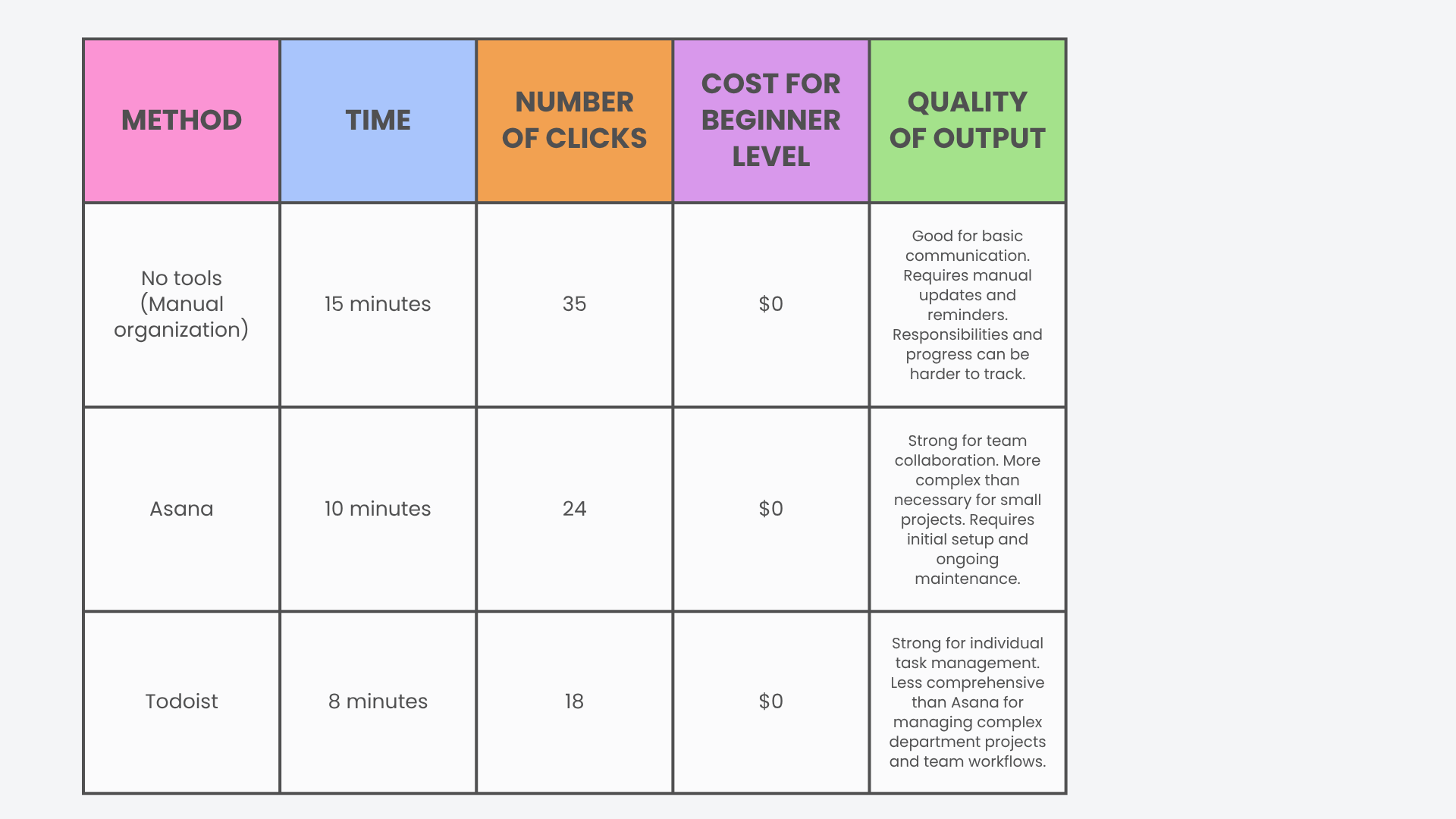
Test 1: Organizing Tasks Manually
For the first trial, I organized the five meeting tasks without using any special software. This means reviewing notes, making a task list, adding deadlines, and setting up reminders. The main benefit is that it’s familiar, but it takes more effort to keep track of who is doing what and to stay up to date.
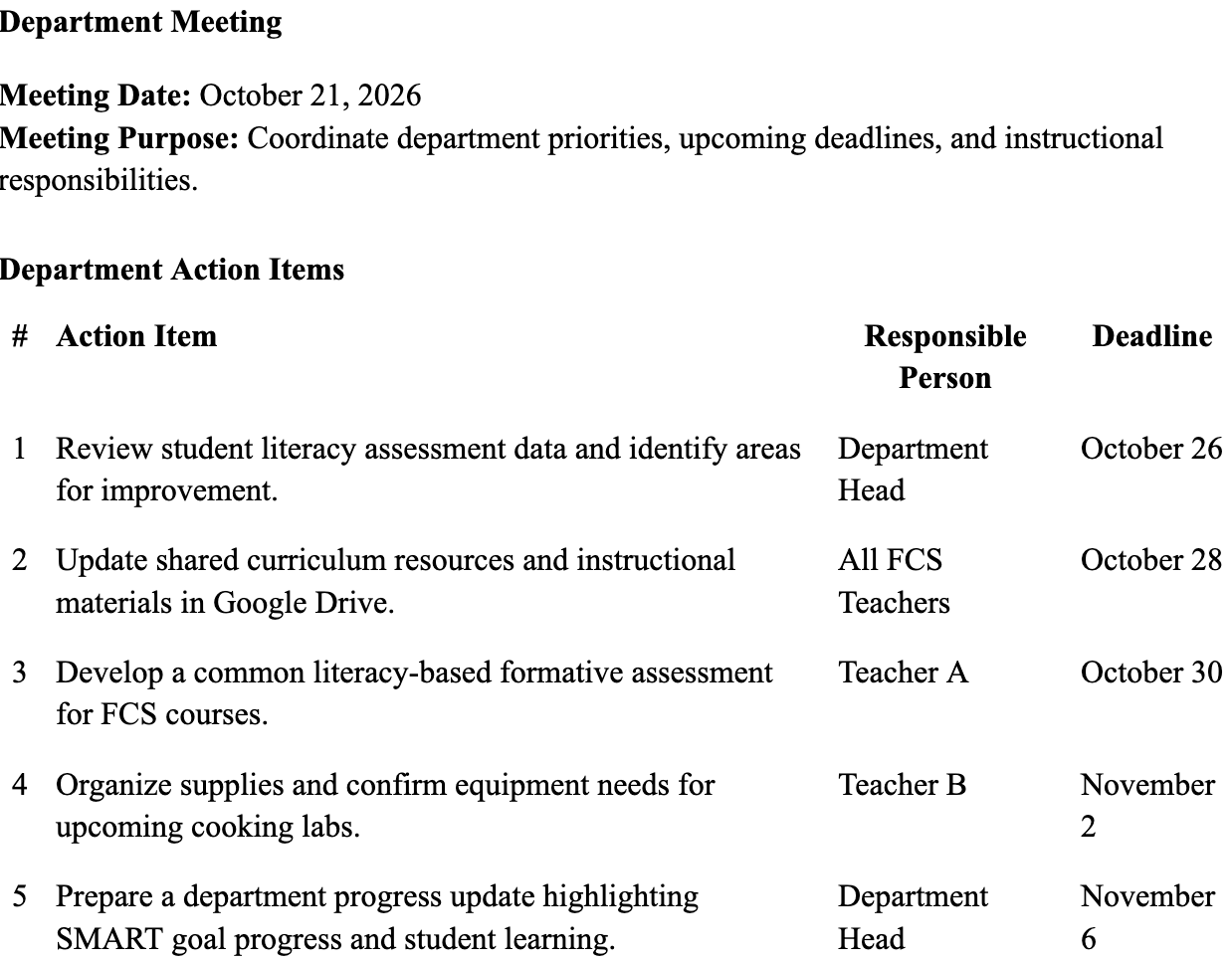
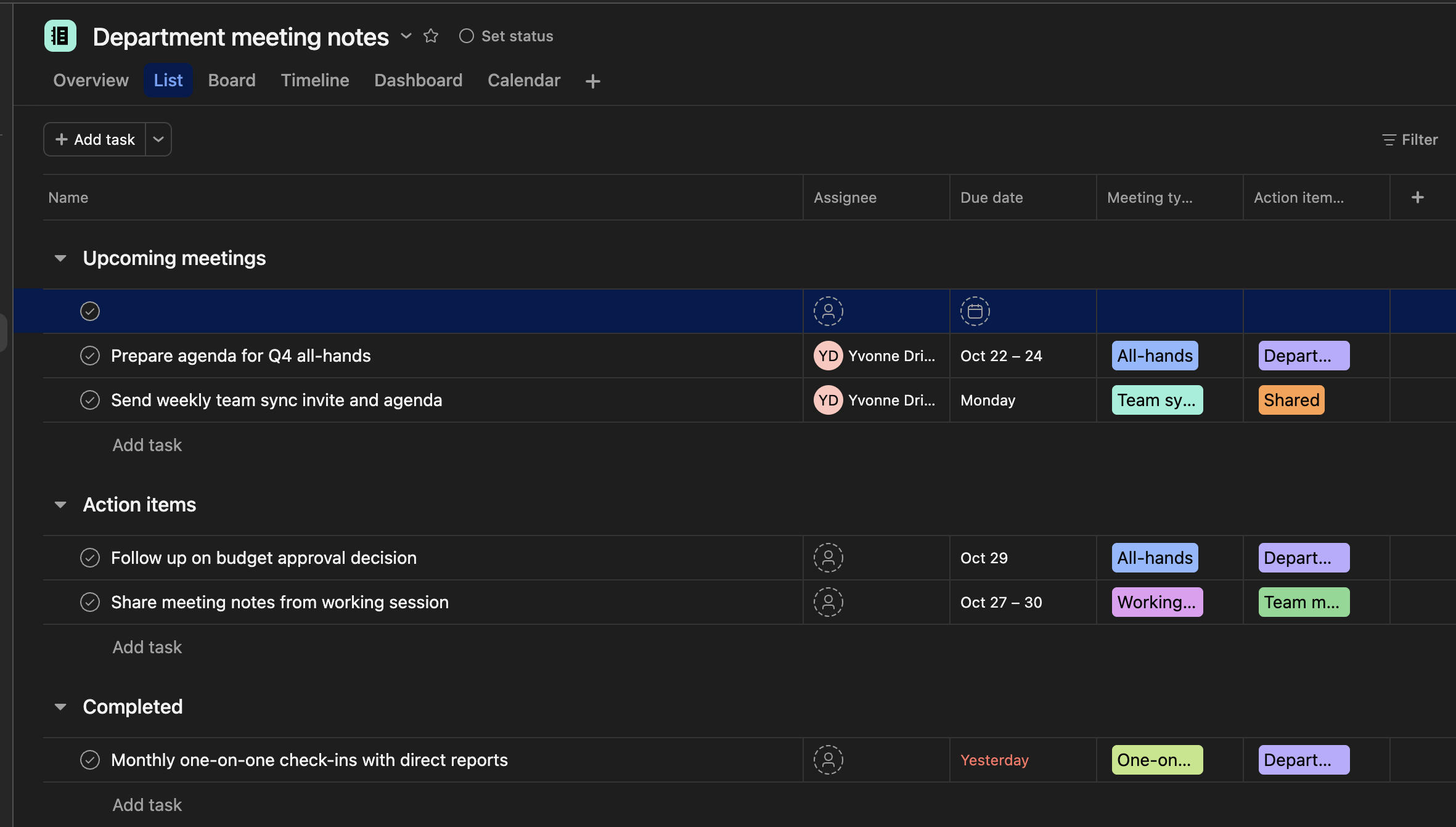
Test 2: Using Asana
Asana lets you organize projects with tasks, deadlines, assignments, and progress tracking. For this trial, I would set up a department project, add five tasks, assign them, and set due dates. The best part is that everyone can see their assignments and track progress in one place. However, it might take extra time to set up projects and learn how to use the tool.
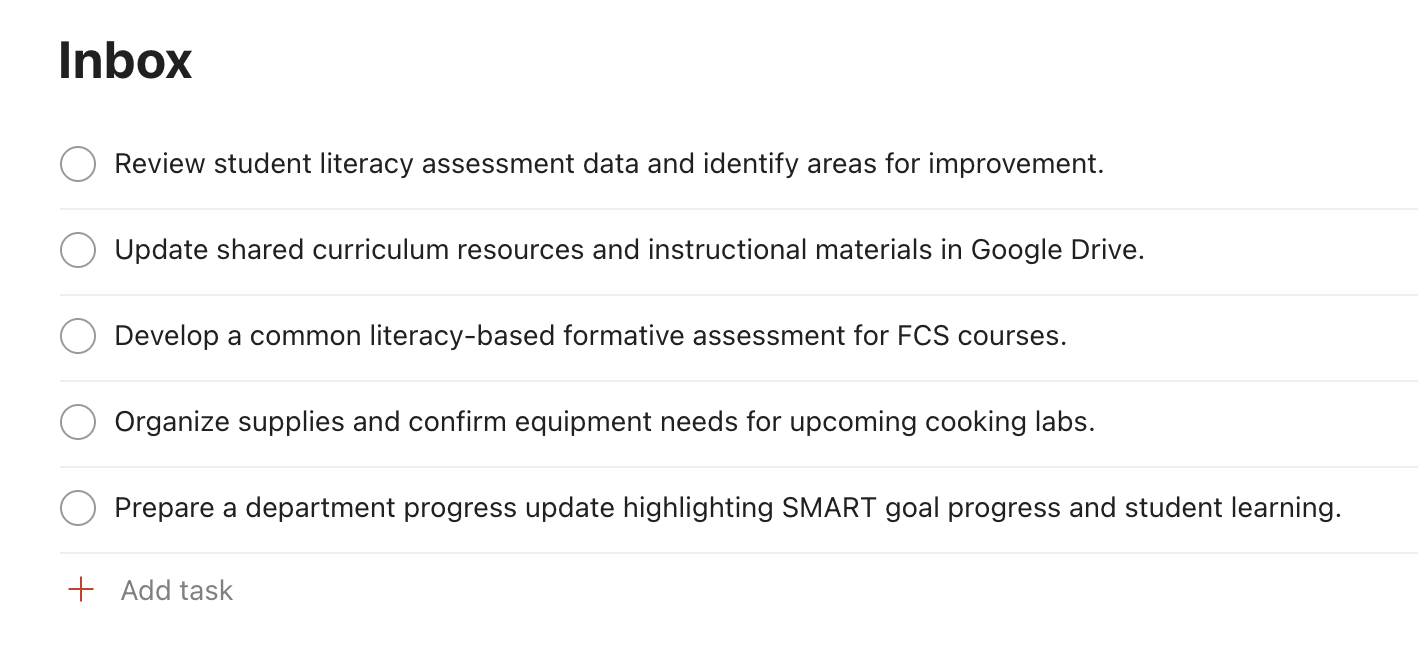
Test 3: Using Todoist
Todoist helps organize tasks by project, priority, due date, and reminders. I would enter the same five tasks and sort them by deadline. Its simple design could make daily task management quicker. But because it’s simpler, it might not work as well for bigger department projects with several people involved.
My initial input for the first task card. Below it is seen as the ‘(No Section)’ task card
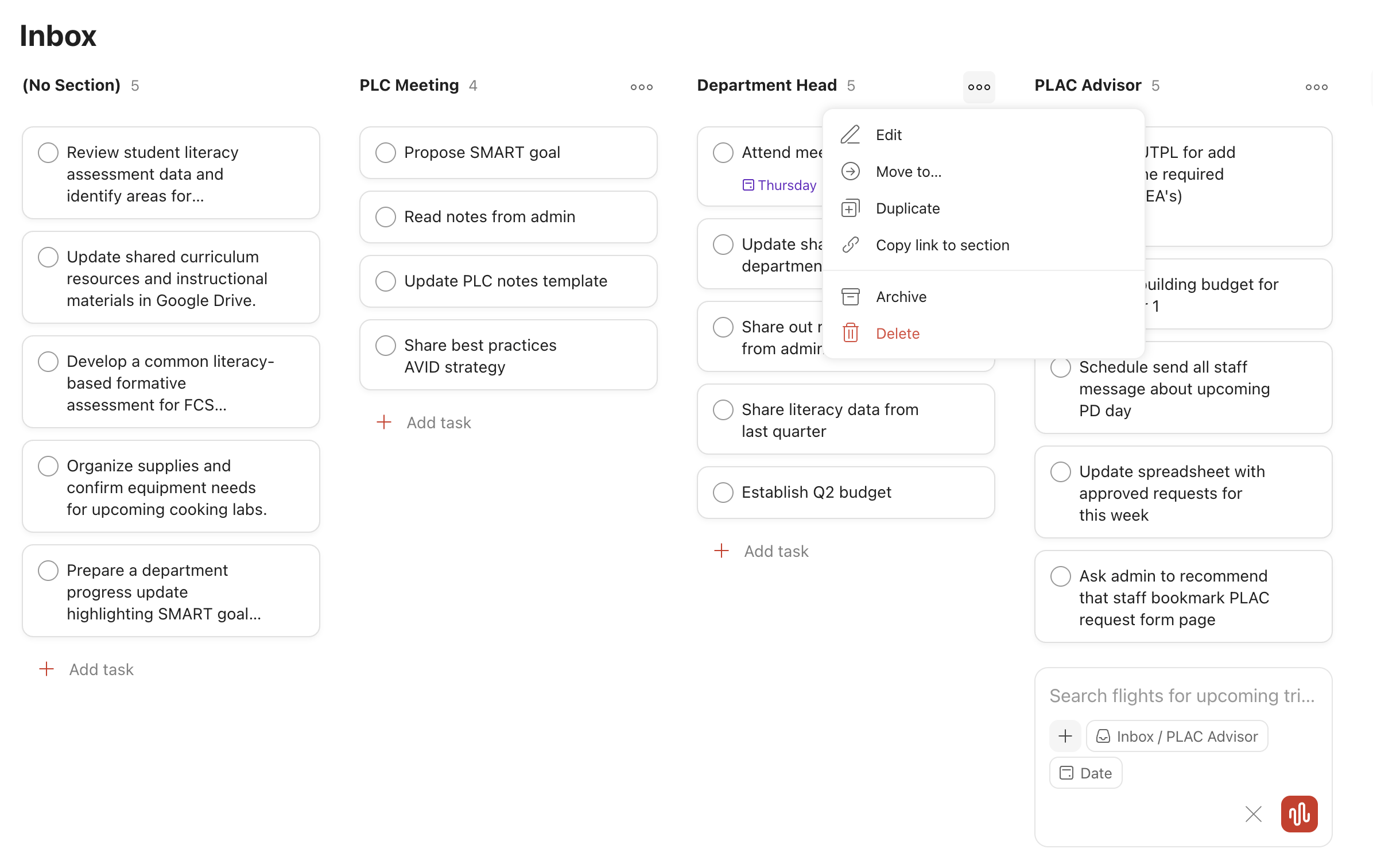
For each task card, the user can edit, move, duplicate, copy the link, archive, or delete
What Does the Research Say?
Productivity tools should make work easier, not more complicated. Murrell (2022) discusses the importance of choosing software that fits your work style. Kipps and Jones (2020) also examine how cloud-based tools can support organization and teamwork. These views suggest that when choosing a tool, it’s better to focus on ease of use, time savings, and how well it supports your tasks, rather than just counting features.
My Recommendation
Based on what I’ve seen so far, I would pick Todoist for handling my own daily tasks, and Asana for working with the whole department. As department head, I’d probably go with Asana since it helps assign tasks and track progress for everyone. I’ll wait until I finish the trials and see the real results before making a final choice. The best productivity tool is the one that fits your needs, helps your team, and makes your workday smoother.
References
Kipps, K. L., & Jones, A. K. (2020). Things are looking up: Using cloud-based technology tools in collection management workflows. Serials Review, 46(3), 215–223. https://doi.org/10.1080/00987913.2020.1806646
Murrell, M. (2022). Essential technology to launch a solo or small law firm, part 2: Productivity software. GPSolo, 39(4), 44–49.
