Bringing Learning to Life: Designing an Interactive AR Learning Object
Connecting Technology to Authentic Learning
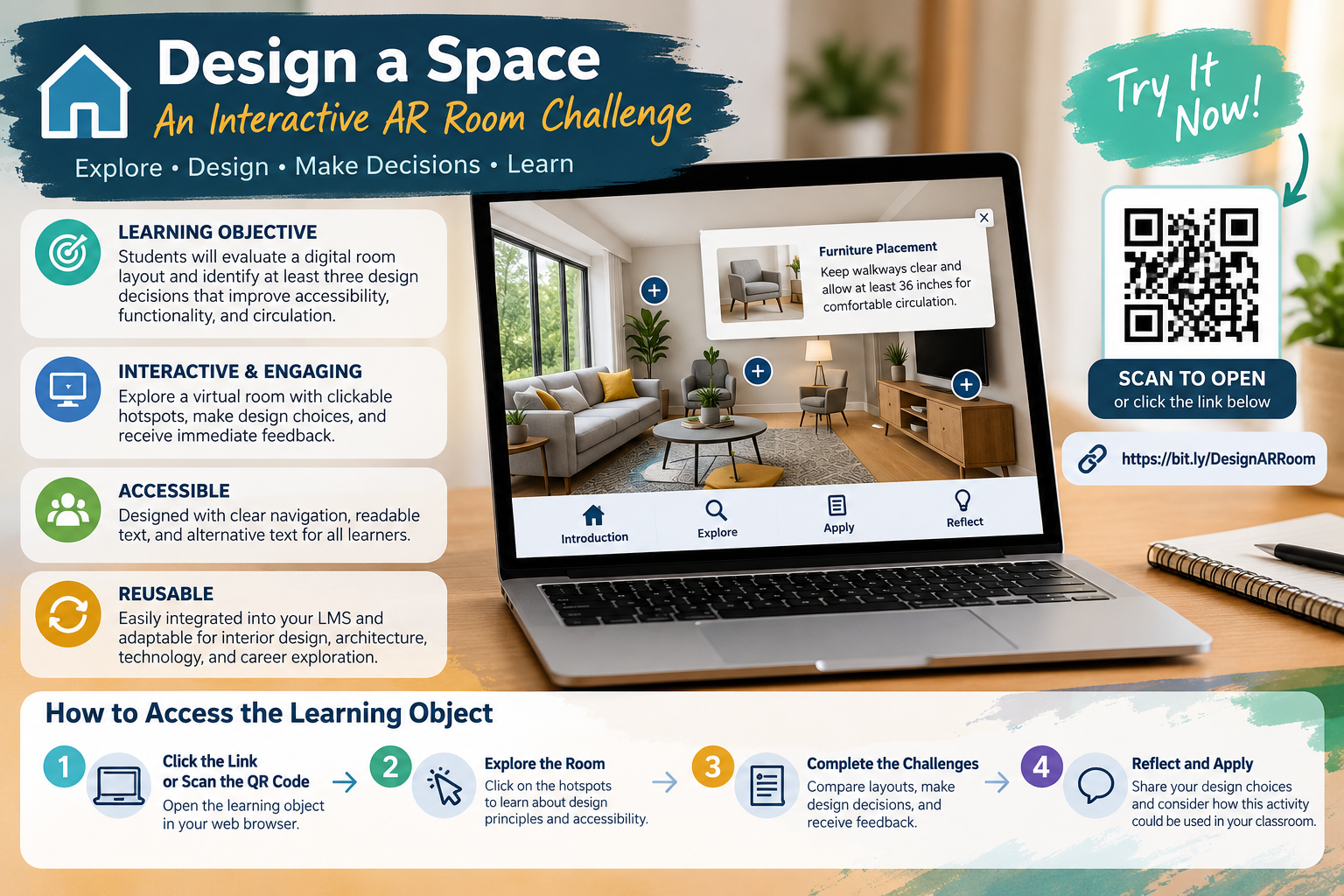
As educators, we are always looking for ways to make learning more engaging, accessible, and meaningful. In my earlier proposal for a hybrid computer lab, I looked at how augmented and virtual reality (AR/VR) could help students experience concepts beyond what’s possible in a regular classroom. Building on that idea, I created a concept for an interactive learning object called Design a Space: An Interactive AR Room Challenge. This activity brings technology and real-world problem-solving together, while encouraging creativity, critical thinking, and student independence.
This learning object is about interior design and spatial planning. It lets students see how furniture placement, movement, and accessibility affect how a space works. Santos et al. (2022) examined teachers’ views on learning objects in schools, which helps us consider how digital resources can support teaching.
Learning Objective and Content
Learning Objective: Students will evaluate a digital room layout and identify at least three design decisions that improve accessibility, functionality, and circulation.
Students start by exploring a digital room with interactive hotspots that teach key design ideas. Next, they compare different furniture arrangements and identify any accessibility barriers. As they work, students get instant feedback on their choices. At the end, they reflect on how their design decisions help meet the needs of different users.
There is also an optional AR extension that lets students see how furniture would look in a real space using their devices. This helps connect their digital choices to real-world situations.
Selecting the Right Design Tool
When I looked at digital design tools, I considered Genially, H5P, and CoSpaces Edu. Each one offers different ways to make learning interactive. I chose Genially because it lets you create interactive images, clickable features, and engaging activities without needing advanced programming skills. H5P is another good option for interactive assessments, and CoSpaces Edu is great for building 3D environments.
I focused on making sure the tool was easy to use and accessible, compatible with our current devices, and interactive for students. Dumitrica and Jarmula (2022) studied the pros and cons of digital learning objects, highlighting the importance of assessing how technology supports our teaching goals.
Designing for Accessibility and Engagement
Making the learning object accessible was a top priority. It would have clear navigation, easy-to-read text, high-contrast visuals, clear instructions, and options for text-based activities. Students could do the main activity on a Chromebook without needing special AR equipment.
The design follows Universal Design for Learning principles by offering different ways for students to engage, access information, and show what they know (CAST, 2024). Students can work through the content on their own, review information as needed, and show their understanding through writing or visual design.
Mallidis-Malessas et al. (2022) studied how digital learning objects can help teach physics to students with intellectual disabilities and demonstrated their use in specialized classrooms. Their research highlights why it’s important to consider diverse learning needs when designing instruction.
Reusability and Classroom Integration
One advantage of this learning object is that it can be reused in different courses. While it was originally designed for interior design, it could also be adapted for architecture, engineering, and technology classes, as well as career exploration.
Teachers can link or embed the activity in Schoology, making it easy to add to self-paced learning paths. Students can do the activity on their own before using what they learned in hands-on design projects.
Explore the Learning Object
[I will insert published Genially learning object link here]
To join in, open the link on a Chromebook or computer, check the learning objective, explore the interactive room, finish the design challenges, and send in your final reflection. Educational technology should do more than capture students’ attention. It should provide meaningful opportunities to explore, apply, and demonstrate learning. Interactive learning objects offer one way to connect emerging technologies with purposeful, accessible instruction.
References
CAST. (2024). Universal Design for Learning guidelines version 3.0. https://udlguidelines.cast.org/
Dumitrica, D., & Jarmula, P. (2022). Teaching qualitative research methods in media and communication: The benefits and limitations of digital learning objects. The Qualitative Report, 27(9), 1934–1951. https://doi.org/10.46743/2160-3715/2022.5256
Mallidis-Malessas, P., Iatraki, G., & Mikropoulos, T. A. (2022). Teaching physics to students with intellectual disabilities using digital learning objects. Journal of Special Education Technology, 37(4), 510–522. https://doi.org/10.1177/01626434211054441
Santos, A. I., Costa, A. C., Botelho, A. Z., Parente, M. I., Cascalho, J., Freitas, D., Behr, A., Rodrigues, A., & Mendes, A. B. (2022). Learning objects in the educational context: The perspective of teachers in the Azores. Education Sciences, 12(5), Article 309. https://doi.org/10.3390/educsci12050309
