Reimagining the Ultimate Computer Lab
Learning by Design | Instructional Technology and Innovation
What would you prioritize if you had $50,000 to create an innovative, accessible computer lab?
As a high school teacher and instructional technology leader, I recently put together a proposal for a $60,000 hybrid computer lab to encourage creativity, collaboration, and real learning experiences. After getting feedback from decision-makers, I was asked to cut the budget by $10,000 but keep the same goals. This made me think carefully about which technologies would help students the most.
In my updated $50,000 plan, I focused on high-performance desktop computers, flexible laptops, accessible furniture, and software that works across different subjects. Instead of buying costly virtual reality headsets, I would use browser-based AR and VR experiences, interactive simulations, and digital learning tools. These choices let students try new technologies while keeping equipment and maintenance costs lower.
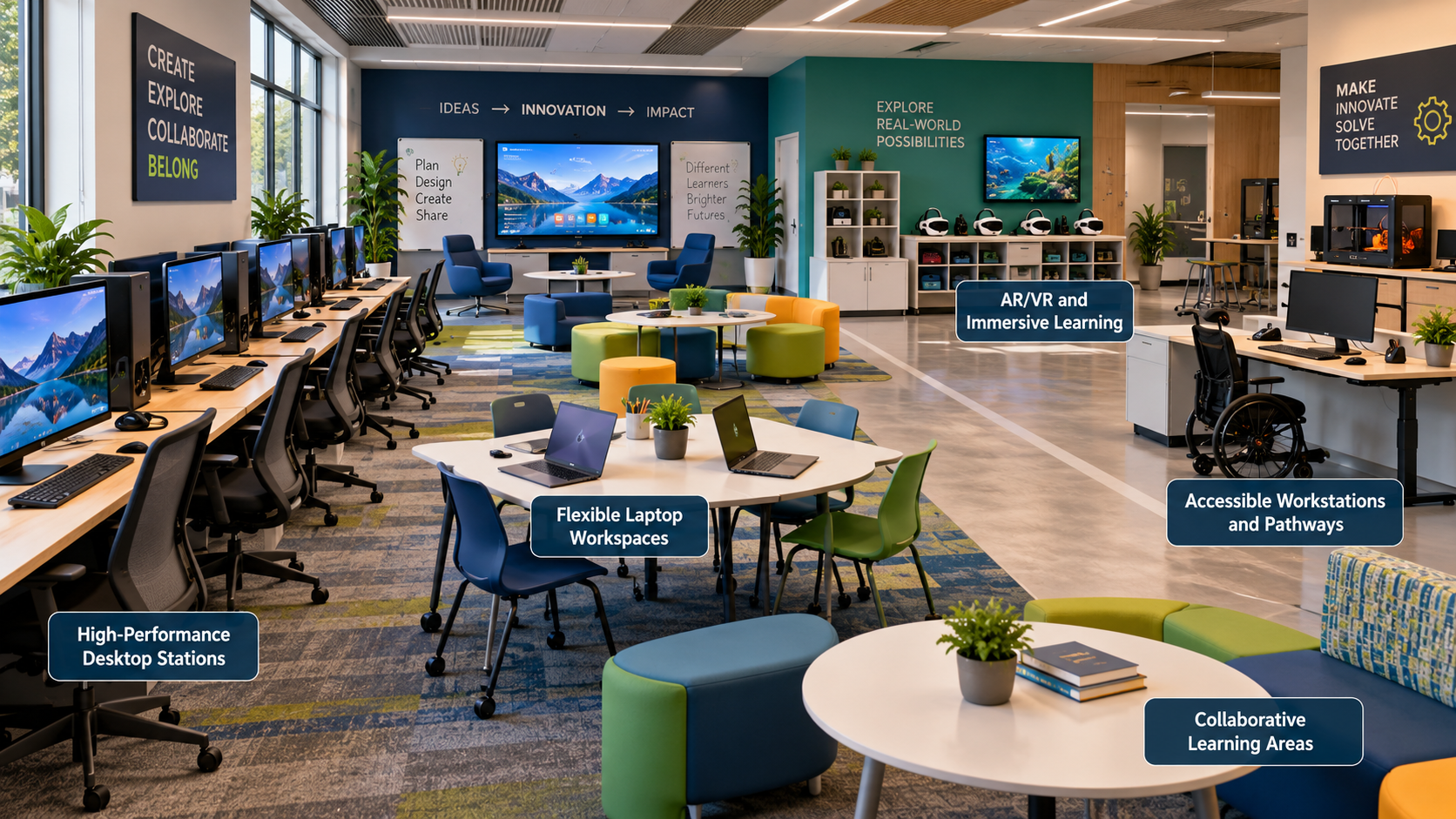
Accessibility and differentiation are at the heart of the new design. The lab would offer:
Flexible learning spaces: Adjustable workstations and group seating to fit different physical needs and teaching styles.
Accessible technology: Tools like screen readers, speech-to-text, captions, and alternative input devices to help remove barriers.
Multiple learning pathways: Self-paced resources, interactive simulations, and chances for students to learn on their own or with others.
Flexible assessments: Students can show what they know through digital presentations, videos, graphics, written work, or multimedia projects.
Immersive learning opportunities: AR and VR experiences let students explore concepts in virtual environments, and accessible options are available too.
Universal Design for Learning focuses on providing multiple ways for students to engage, learn, and demonstrate what they know (CAST, 2024). These ideas would shape both the lab’s setup and the resources students can use.
To support my proposal, I compiled a resource guide with 10 sources for decision-makers. The annotated bibliography covers research on accessibility, digital learning tools, collaborative learning, ethical use of technology, and instructional leadership. Each source offers evidence or advice that supports the proposed investments and shows why these choices make sense for both learning and the budget.
One of the main things I learned from this experience is that good instructional technology isn’t just about buying the latest equipment. It’s about making smart choices that help students learn, remove barriers, and give real chances for creativity and teamwork.
I’d like to connect with other educators and instructional technology leaders who are building creative learning spaces. How do you balance tight budgets with accessibility, differentiation, and new technologies? What investments have made the biggest impact in your classrooms?
I welcome your ideas, experiences, and suggestions as I keep working on this proposal. By working together and sharing what we know, we can build learning spaces that really meet all students’ needs.
References
CAST. (2024). Universal Design for Learning guidelines version 3.0. https://udlguidelines.cast.org/
Reddy, S. L., Bubonia, J., & Parr, J. (2020). Technology in education: Learning opportunities for teachers and students. Journal of Family & Consumer Sciences, 112(1), 46–50. https://doi.org/10.14307/JFCS112.1.46
